


Tesoro
CRM system for real estate agencies
SaaSAPI DevelopmentAutomation SolutionsCloud SolutionsSystem Integration

Order status, documents, account history and dates. You already hold this information, but the people who need it cannot access it. A portal gives them a secure view of what matters without exposing the rest of your systems.
Our partners





Where is my delivery? Has the invoice been sent? When will the crew arrive? The answer is already in your system, but the person asking cannot see it.
One price list was emailed, followed by a second and then a correction. Establishing which version applies means searching through a chain of messages.
A partner gets access to your internal system and sees more than they should. Alternatively, they get no access at all and every request has to go through your team.
A portal is only as reliable as the system behind it and the team maintaining that system. These four figures provide that context before we look at what users see after logging in.
since 2010
Our longest unbroken client relationship
since 2019
The current Rulewave system in production
hundreds of thousands
Operations a year in the systems we run
0
Key clients who have left us
A good portal gives each user exactly the access they need and nothing more. We define that access map before designing the screens.
A partner sees their orders, a supplier sees their deliveries, and an employee sees their department. Other users' prices and history are not part of their view at all.
Users can download documents, report issues and book appointments themselves, including outside your office hours.
You can see who logged in, what they downloaded, and when they approved something. In a dispute, that provides a clear record rather than relying on memory.
A less expensive option is to give partners access to your existing system and hide everything they should not see. Sometimes that is sufficient. The right choice depends on the scale, risk and experience you need to provide.
| A separate portal | Accounts in your system | |
|---|---|---|
| What the partner sees | Only their own information, because nothing else is available in the portal | Your internal interface with selected fields hidden |
| When you change the system underneath | The portal stays; what feeds it changes | You rebuild the views and the permissions |
| Where the risk sits | In a separate interface designed specifically for external users | In giving an external user access to your operations system |
| Cost to start | Higher, because you are building a separate product | Lower, because you are configuring a system you already use |
| Number of external users | Dozens or hundreds, including people you do not know personally | A small group of long-standing partners |
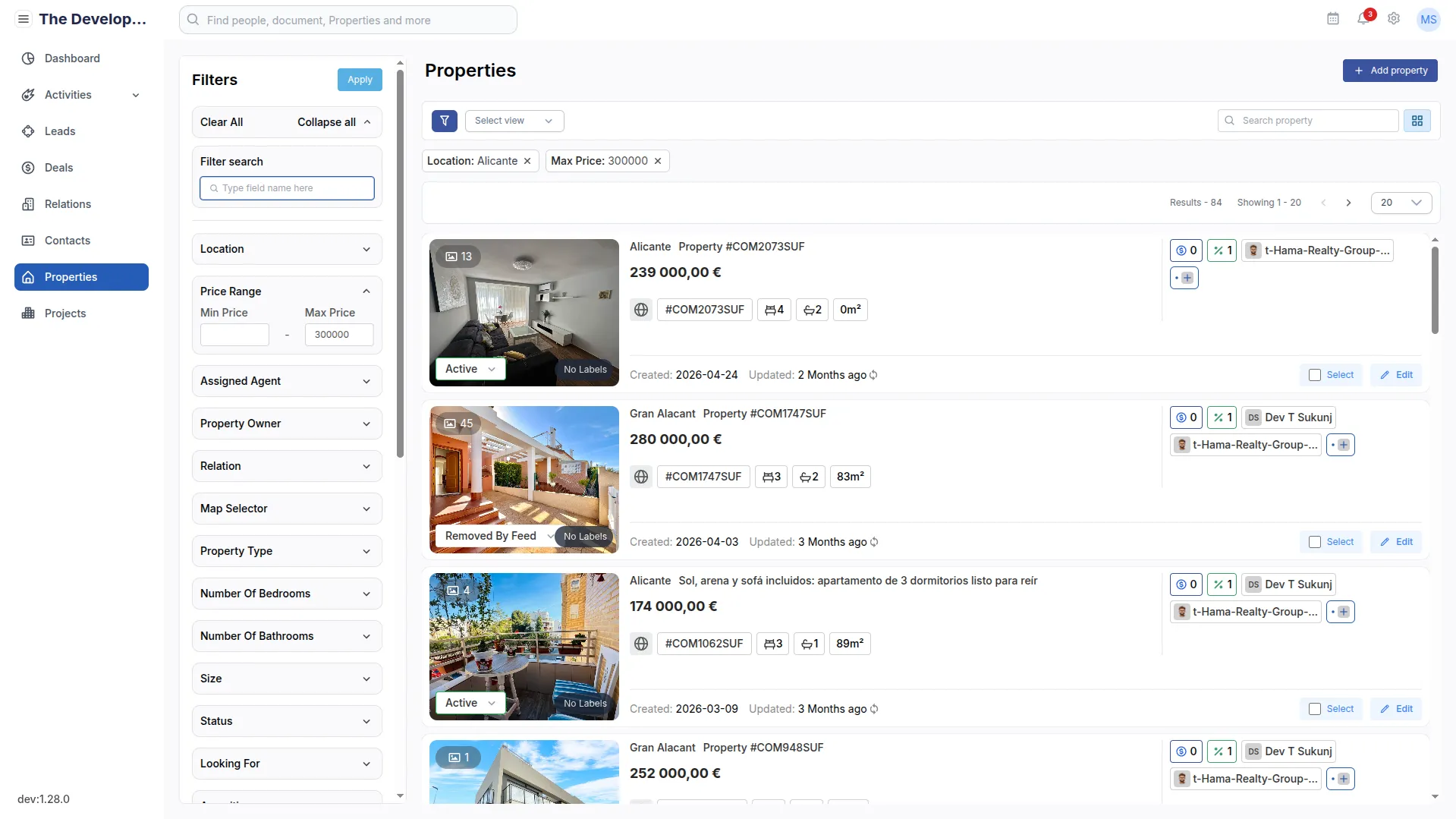
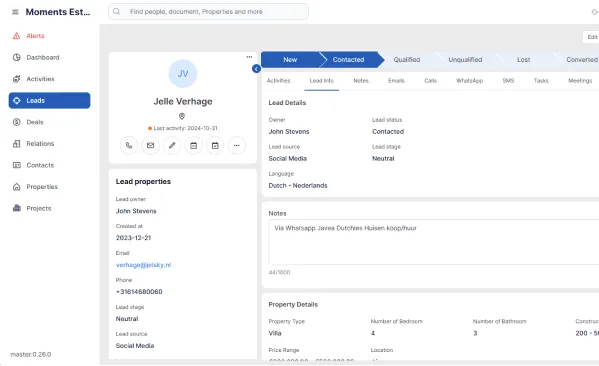
Each of these three systems provides secure access for people outside the company. Tesoro buyers browse listings, rate agents' suggestions and book viewings. TransHans passengers access their accounts, travel history and tickets. Rulewave suppliers book deliveries instead of calling the warehouse.
CRM system for real estate agencies
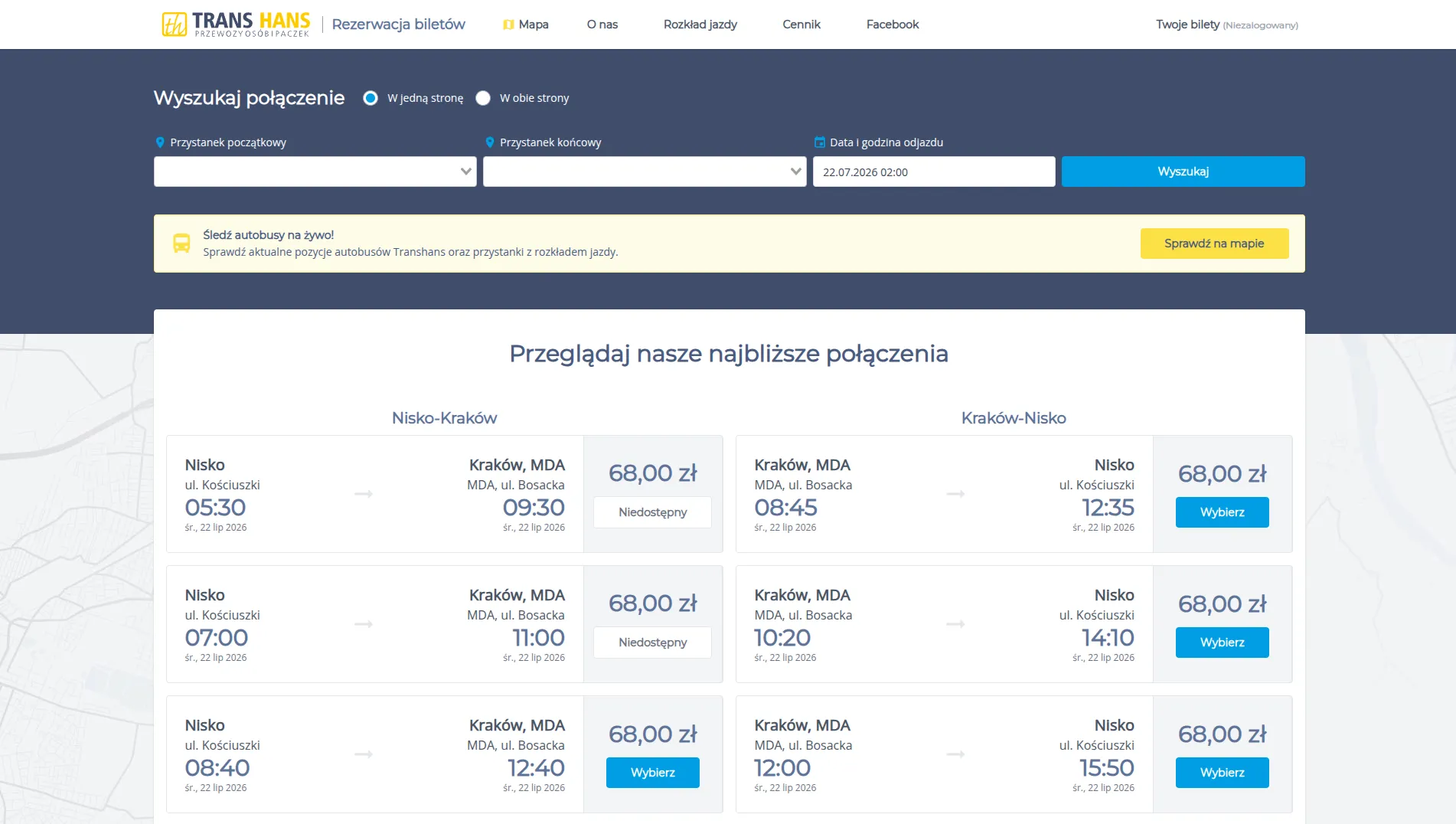
A bus carrier's own ticket booking app
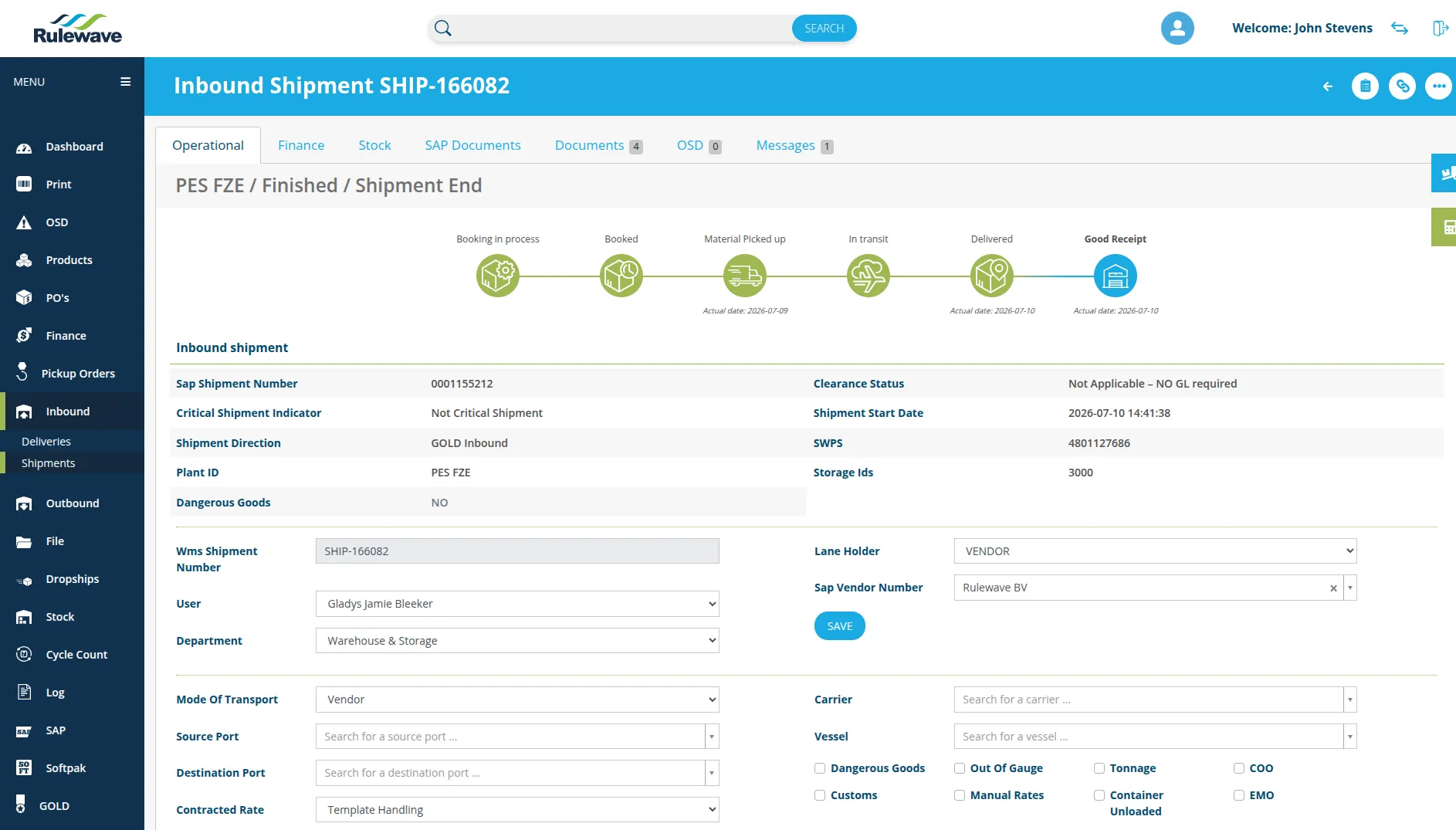
Warehouse Management System for a global logistics service provider

We start with the reason someone would log in, not with a long feature list. Everything else follows from that answer.
If that question is "Where is my delivery?", the first screen shows the delivery status. Everything else can wait for a later release.
We define each type of user and what they may see. It is not the most visible part of the work, but it is where poorly designed portals often fail.
We invite a small group of partners and observe what they look for and what they struggle to find.
The requests your team continues to receive reveal what the portal should include next. They provide a practical, evidence-based list of requirements.
They see only what you choose to provide. In practice, we start with a list such as status, documents, history, dates and contact details, then decide which users can access each item. This conversation matters more than the visual design because a portal that reveals too much creates risk instead of saving time.
A separate portal means that partners never enter your internal system. They use an interface that retrieves only the data they are entitled to see, with no route to anything deeper. Roles, access logs, encrypted connections and password policies add further protection.
The data stays in the region you require, on infrastructure and accounts belonging to your company. Because we are based in Poland, EU hosting and GDPR compliance are standard considerations for us. Our access is limited to the engineers maintaining the system, logged, and fully revocable by you at any time.
They will if the portal gives them an answer faster than your team can. If users must log in only to find a single number, a phone call will remain easier. We therefore build the first version around the most common request rather than a complete feature list. Successful adoption shows up as fewer calls, not simply more registered accounts.
It comes from the systems you already use. The portal displays information from your ERP, warehouse or accounting system and sends users' actions back to the appropriate source. That is why a portal almost always requires system integration, which we describe on a separate page.
Tell us what customers and partners contact you about most often. That is the best place to begin building a portal they will actually use.